Kontora runs coding agents on markdown tickets.
Each ticket runs through a pipeline of stages, in its own git worktree, branch, and tmux session.
$ brew install kontora
Or give it to a coding agent: "Help me install and set up Kontora: llms.txt"
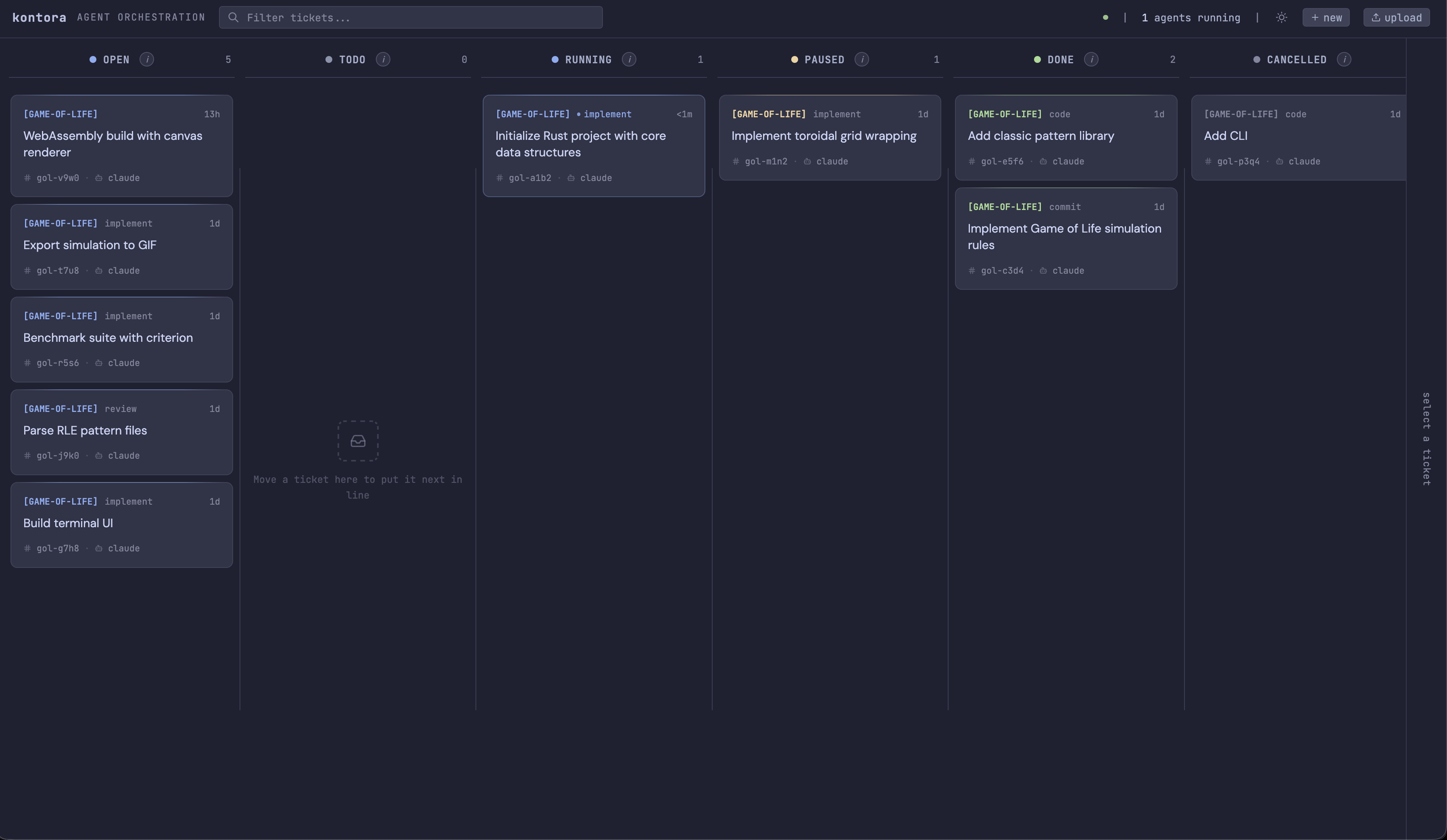
Tickets are markdown files.
The YAML frontmatter holds the id, the status, the pipeline, and the path to the repository to work in. Write the file by hand or run kontora new. Kontora picks up any ticket with status: todo, but runs nothing until kontora: true is set.
---
id: kon-q88f
kontora: true
status: todo
pipeline: implement-review-commit
path: ~/projects/kontora
---

# Add a health check endpoint
A pipeline is a list of stages.
A stage is a prompt template with a timeout and a model. The pipeline runs its stages in order, and each stage says what to do on success and on failure. Stages share one worktree, so one stage writes PLAN.md and the next one reads it.
implement
agent: claude on_success: next on_failure: pauseKontora creates the worktree, sends the ticket description as the prompt, and starts the agent in a tmux session.
review
max_retries: 1 on_failure: retryA second agent runs over the same worktree, usually on a different model. It sees the files the first stage wrote.
commit
agent: claude on_success: human_reviewThe agent stages, commits, and pushes. The ticket then moves to human review, with the log of every stage attached.
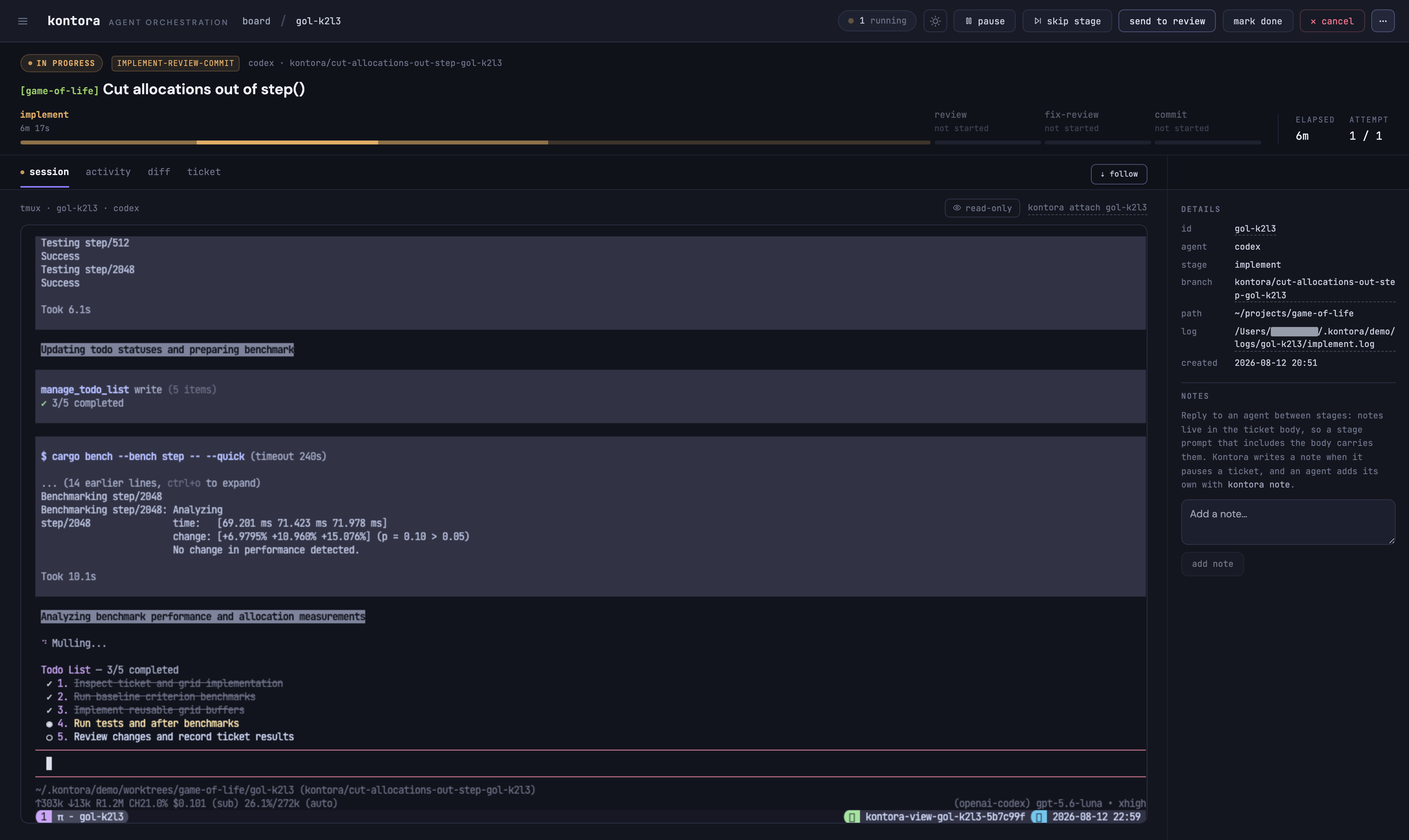
One worktree per ticket
Every ticket gets its own git worktree and branch, so agents never touch each other's files or your checkout. Three run at a time by default.
Any agent with a CLI
Claude Code, Pi, OpenCode, or any binary that takes a prompt. You declare the binary and its arguments once in the config. A stage can override the model.
Board in the browser or the terminal
The same board runs as a web dashboard and as a terminal UI. From either one you can attach to a running agent's tmux session.
Drive it from another machine
The CLI talks to the daemon over the same HTTP API as the dashboard. Set KONTORA_URL to a host on your tailnet and attach to a live session.
Getting started
Kontora needs git, tmux, and one agent CLI. Run kontora doctor to see what is missing.